Hardware and Wiring
Connecting the AMS
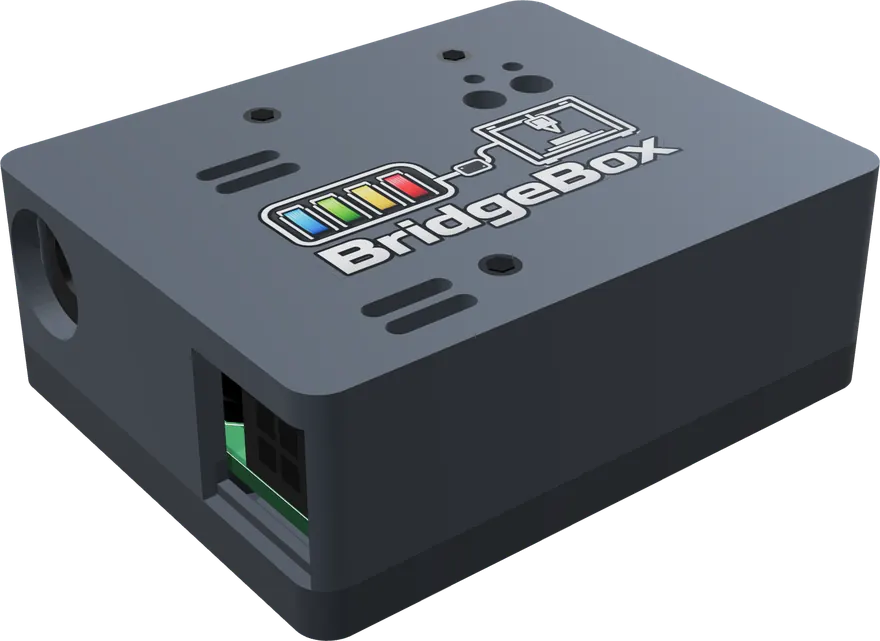
BridgeBox connects at the same place a Bambu printer does: the four-pin socket on the AMS filament buffer. Unplug the printer's cable from the buffer and plug the BridgeBox cable in its place.
- Boxed units (AMS 1, AMS 2 Pro) and AMS HT: keep the stock buffer and the stock cables between units. Connect the units to each other exactly as they would be on a Bambu printer. BridgeBox finds every unit on the bus by itself.
- AMS Lite: it has no buffer. BridgeBox goes on the AMS Lite's own cable, in the place of the A1, and nothing else can share that bus. See AMS Lite.
Note
The bus between the BridgeBox and the AMS units is RS-485 at 1,228,800 baud, the same as on a Bambu printer. Klipper never touches the bus; it only talks to the BridgeBox.
Power
The AMS units were powered by the Bambu printer. On a BridgeBox they are powered by the BridgeBox, which needs its own supply.
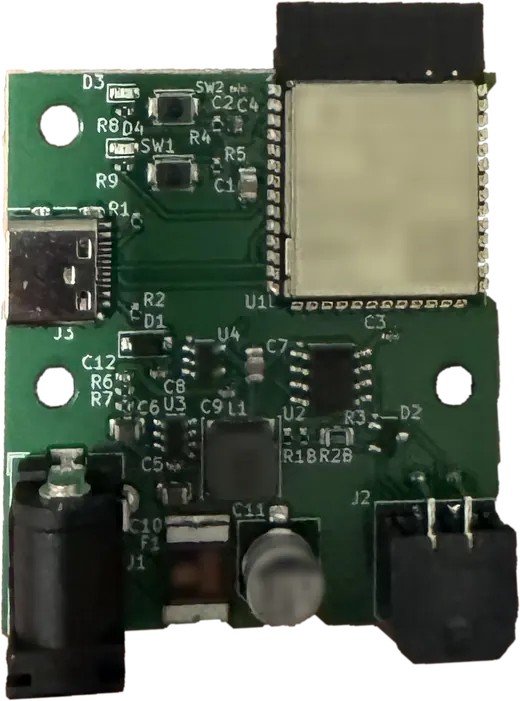
- Use a 24 V adapter rated 2 to 4 A. The draw stays under 1 A even with an AMS 2 Pro drying on it, and a 2 A fuse on the board limits it no matter which adapter you plug in.
- The barrel connector matches the AMS 2 Pro's own adapter, so a spare one fits.
Drying on BridgeBox power
One AMS 2 Pro can dry on the BridgeBox's supply. A second unit heating off the same wire would pull the supply down and reset every unit on the bus, so AFC will not start it while the first one is drying on bridge power. Plug an adapter into either unit, even mid-cycle, and the block lifts. An AMS HT always needs its own mains cord to heat.
Connecting to Klipper
BridgeBox talks to Klipper over USB or WiFi.
Plug the BridgeBox into the Klipper host with a USB cable. With serial_port: auto, AFC finds it by itself; there
is no serial port to look up.
BridgeBox joins your network from its own setup hotspot. You can start on USB and let it move to WiFi by itself, or run it on WiFi alone. See USB and WiFi.
BridgeBox is not a Klipper [mcu]. Never add it to an [mcu] section or flash Klipper onto it.
The BOOT button
Holding the BOOT button for 10 seconds wipes the BridgeBox's WiFi network and link key and restarts it with its
setup hotspot. The LED flickers after one second of holding so you know it took. Use this when moving the BridgeBox to
another printer or network without Klipper. AFC_BRIDGEBOX_RESET_WIFI does the same from Klipper.
The enclosure
BridgeBox comes in a 3D-printed case. The STL files are included, so you can print a replacement or a case in your own colors.
Toolhead sensor
Each AMS feeds a load until the extruder's toolhead sensor (pin_tool_start in its [AFC_extruder]) sees filament,
then hands over to the extruder. The extruder a BridgeBox feeds needs either a toolhead sensor or
pin_tool_start: buffer with the BridgeBox buffer standing in for one. See
Configuration.